
Creating a Wishlist using Wix Stores with add to cart function
About
Wix recently created a Wishlist tutorial using heart icons to display if item is in the User's wishlist and using 'x' icon to remove item from wishlist. Here is a link to their tutorial: https://support.wix.com/en/article/corvid-tutorial-adding-a-wishlist-to-a-wix-stores-site In our version of the Wishlist tutorial, we will use less steps to create the Wishlist and will use buttons to add or delete items from a Wishlist. As a bonus, we will also create an 'add to cart' button for single items and add the entire Wishlist to the cart in one click. Please be advised that this tutorial does NOT REQUIRE the Members Area pages but it does require for users to log into the site in order to come back and view the products they have saved.
Note: Wix Stores released a native Wishlist function that requires zero code but installing the Members Area is mandatory. Link to Wix Support article regarding their new feature: https://support.wix.com/en/article/adding-and-setting-up-a-wishlist-in-wix-stores
Follow Along #1
Tutorial Site
https://codequeen.wixsite.com/wishlist-2020
Logic & Requirements #1
About the Products
Our tutorial uses products with zero variations or extra choices. This allows us to use the native Wix widget that is located on the Product Details Page. Since there is no code available to detect which selections a User makes on this widget, we are unable to use it for Products that have variations. In order to create a Wishlist function for Wix Stores that have at least 1 product with variations, then you must create the Product Details page from scratch by hiding the native Wix widget and adding your own elements on the page. Or you can create each variation into it's own separate product.
Logic & Requirements #2
About the User
In order for a User to create and save a Wishlist to come back to it at a later time, the User has to be logged in as a Member of your website. You will have to make a choice and decide at what point you want the User to login. Our Wishlist tutorial has 2 methods for this.
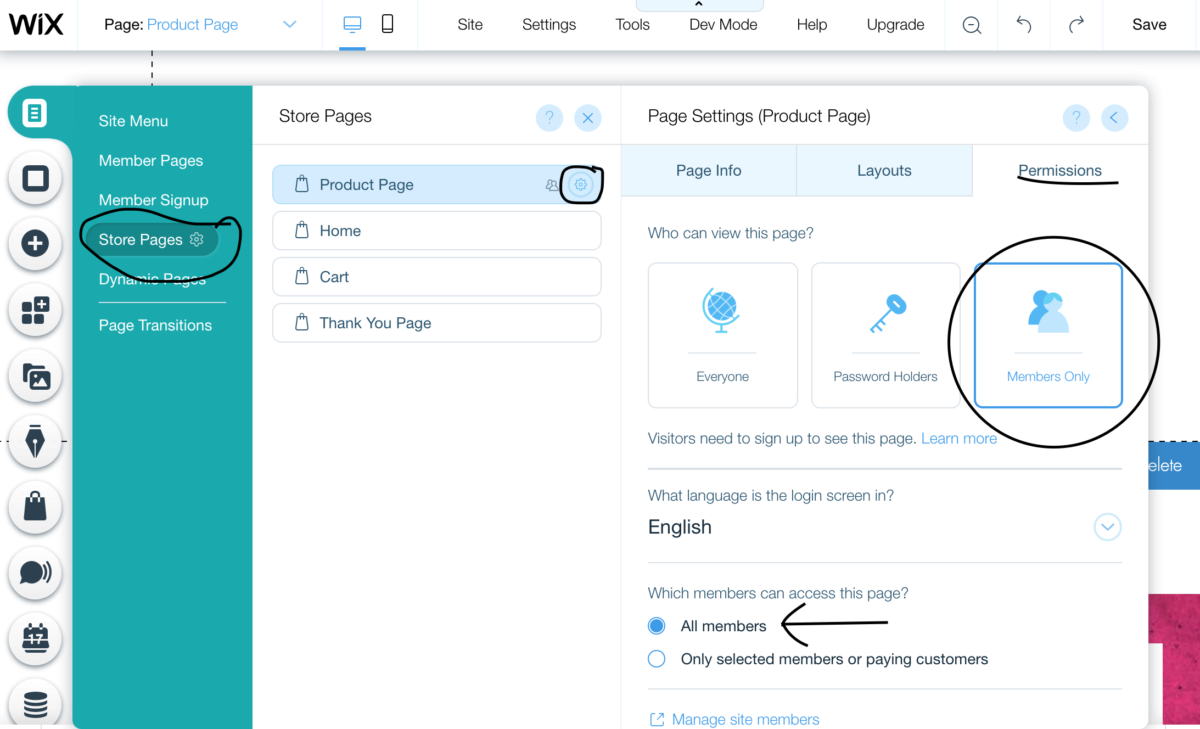
Method #1 uses zero code by simply changing the Product Page Setting Permissions to be for Members Only. This means the User must be logged in before they can view the Product Details Page. So if the User is not logged in, the website will prompt the login window to appear. (If you created a custom login, then your custom login will be prompted.)
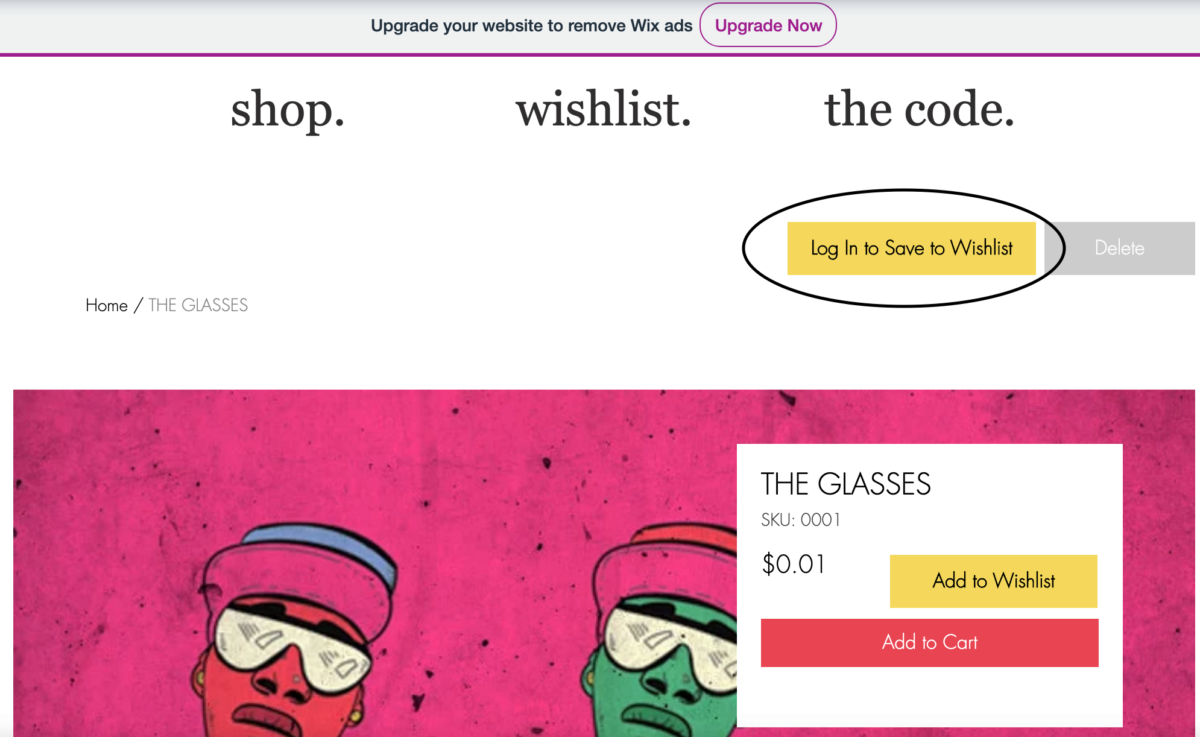
Method #2 uses some code on the Product Page Details to check if person is logged in before the user can see the "Add to Wishlist" button, meaning they can view the Product Page Details without being forced to be logged in first.
Method One & Two - Step #1
Create a Custom Database Collection
The Database
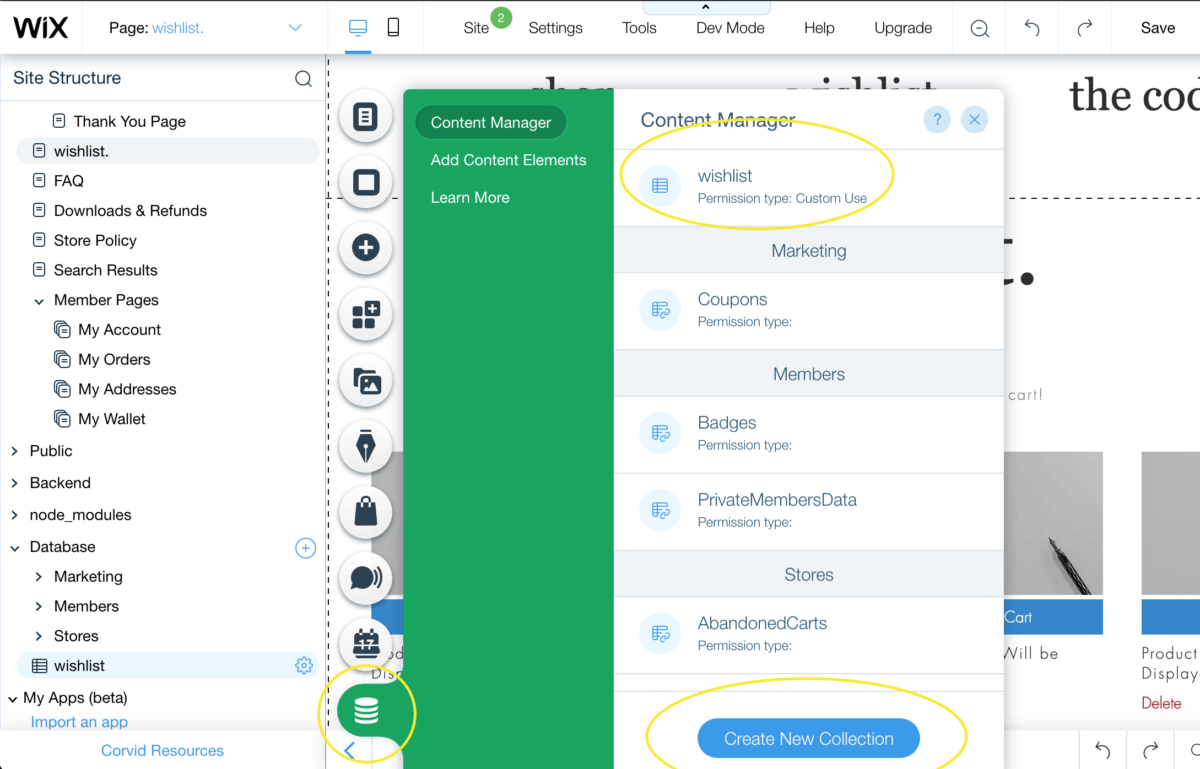
We will need to create one database collection to store a Members wishlist items. Using the arrow in the bottom left hand corner, open up the Site Structure panel to add a new Database. You can also add a new database using the Site Menu Database Icon.
The Settings
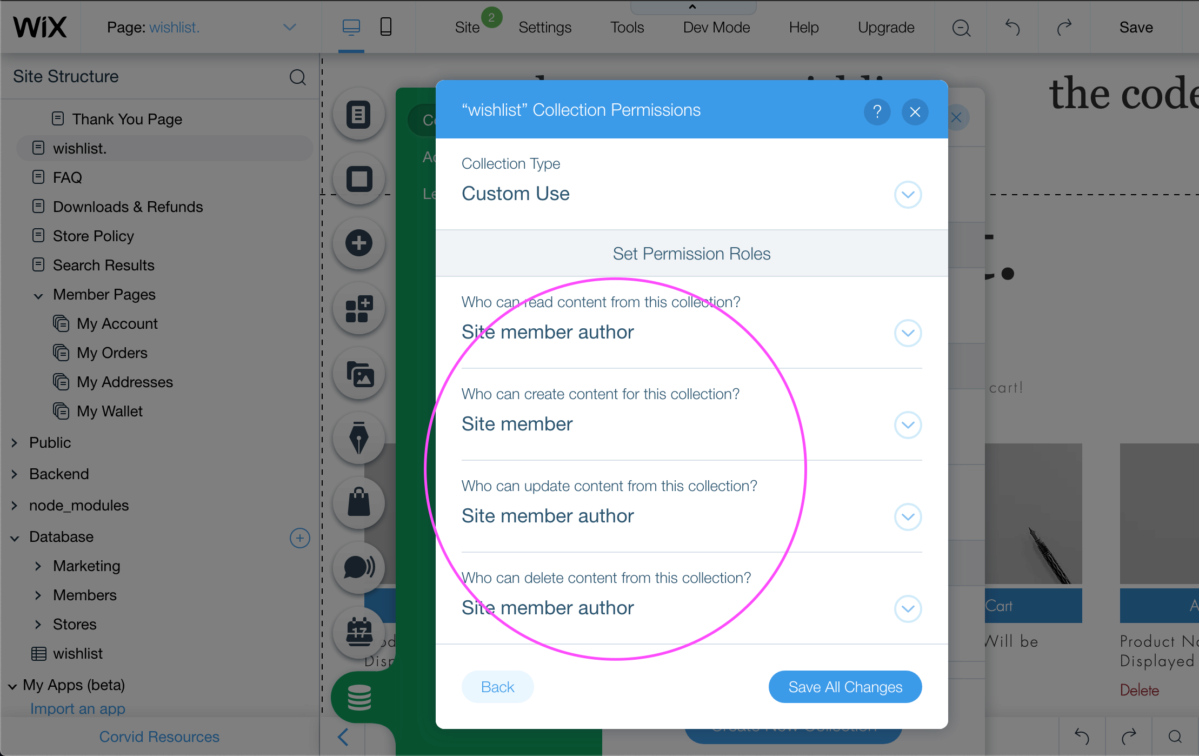
Make sure to click on the database settings to configure the permissions in accordance to what your website needs are. In our tutorial site, our permission settings look like this:
The Fields
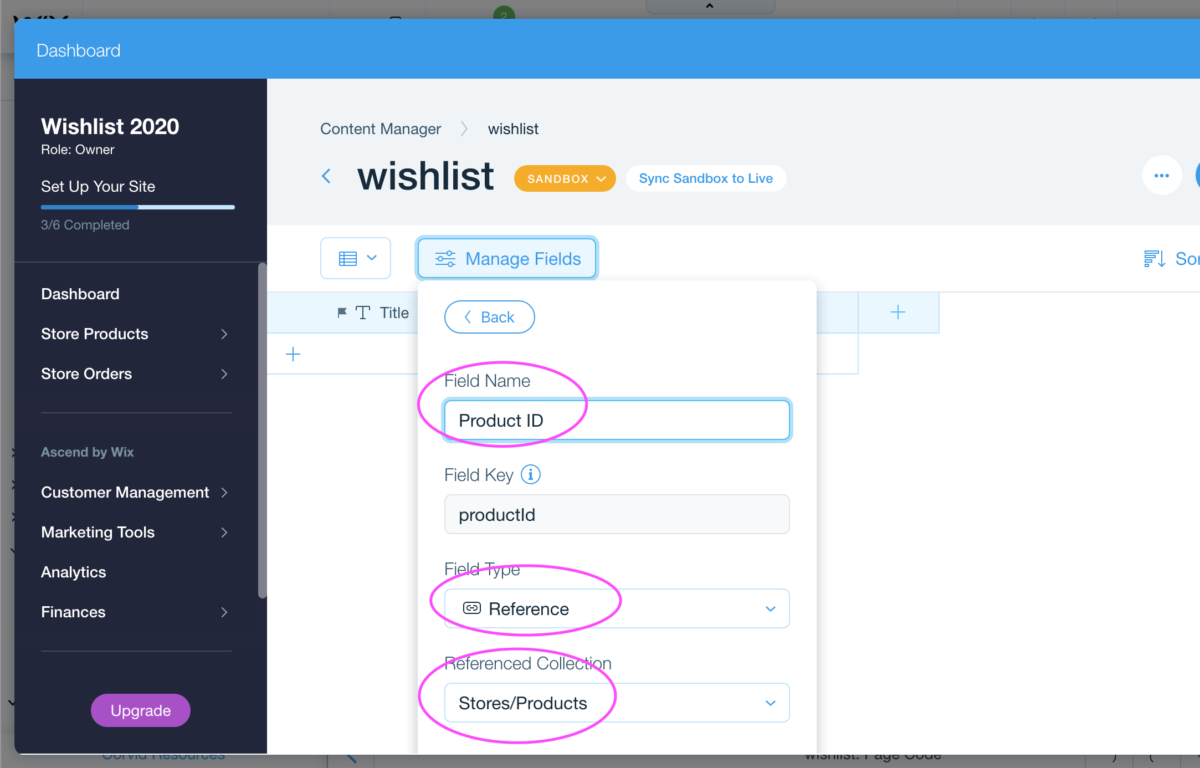
In our example, we only required 1 field so we created the following for our database:
- 1 Reference Field to store the ID of the product from Wix Stores / #productId
- The Reference Field is connected to the Stores/Products collection
Method One & Two - Step #1
Create a Custom Database Collection
The Database
We will need to create one database collection to store a Members wishlist items. Using the arrow in the bottom left hand corner, open up the Site Structure panel to add a new Database. You can also add a new database using the Site Menu Database Icon.
Disclaimer
Our free and premium content is non-exclusive, meaning you are not the only one with access to the content. You can customize our content to fit your end product. Redistribution of our content is strictly prohibited. This means you cannot make our content available to others as-is, stand-alone products or stock products in ANY LANGUAGE, regardless if you offer our content for free or not.